How to Fix Missing DLL for MaterialDesignThemes Package (Version 5.2.1)
How to Fix Missing DLL for MaterialDesignThemes Package (Version 5.2.1)
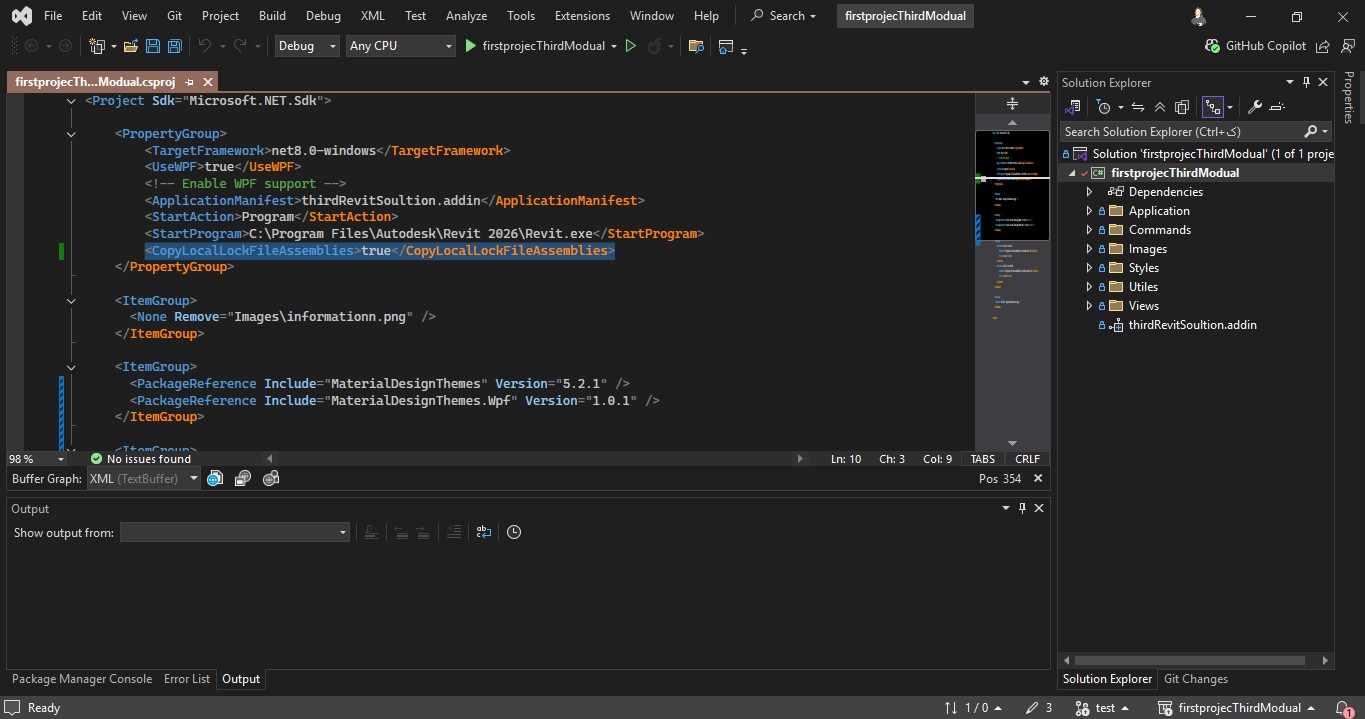
To fix the issue of missing MaterialDesignThemes.Wpf.dll in the output directory after installing the NuGet package, you need to add the following property to your .csproj file:
The <CopyLocalLockFileAssemblies> property ensures that all assemblies referenced by the project (including NuGet packages like MaterialDesignThemes) are copied into the output directory (bin/Debug or bin/Release). Without this property, some DLLs might not be copied, causing missing DLL errors at runtime.
By adding this property, you ensure that MaterialDesignThemes.Wpf.dll is included in the build output, fixing the issue of missing DLL files.